I want you to try out HexSum in your classroom. The grade doesn’t matter. K-12 is perfectly fine. Let me show you what you can do in this walkthrough.
You can find HexSum at hexsumgame.com. There are no ads, no subscriptions, no upsells or in-app purchases or currencies. There is a Pro plan you can buy for a one-time $7 purchase (it’s not a monthly or even an annual subscription!). That’s less than the cost of a dozen eggs nowadays.
So what do you do in your classroom with HexSum? In this article, you’ll see how you can design your own board, use HexSum for a class warmup with a CPU battle, group activity, or a reward. You can use this for modification for struggling students or as a challenge for your more advanced students. There’s also a fun mode for speed and fluency practice … with Zombies!
For Teachers and Parents
Get yourself a Pro account. It’s definitely worth it and gives you a lot of capabilities beyond the limited daily puzzles that are there for everyone. With a Pro account, you can design boards, download a pdf of the game for support modes, play PvP, make custom games, share games, play all dailies including old ones, and continue to get access to more features as they are developed.
Design Your Board
Are you focusing on number bonds? Do you want students to get lots of practice adding to 10? 20? 100? With a Pro account, you can design your board and have a dedicated URL for it.

You’re presented with an empty board and then you mark your own paths like so. Then click on “Assign Values”

Once you click on “Assign Values”, you can update the board as you see fit and the you’ll have your very own designed board.

Class Warmup or Group Activity
There are daily puzzles available that you can use as a class warmup. It’s the same puzzle for everyone for a given day. With a Pro account, you can download today’s puzzle. Or if you designed your own puzzle you can download that to make it specific to your class or for a specific student.
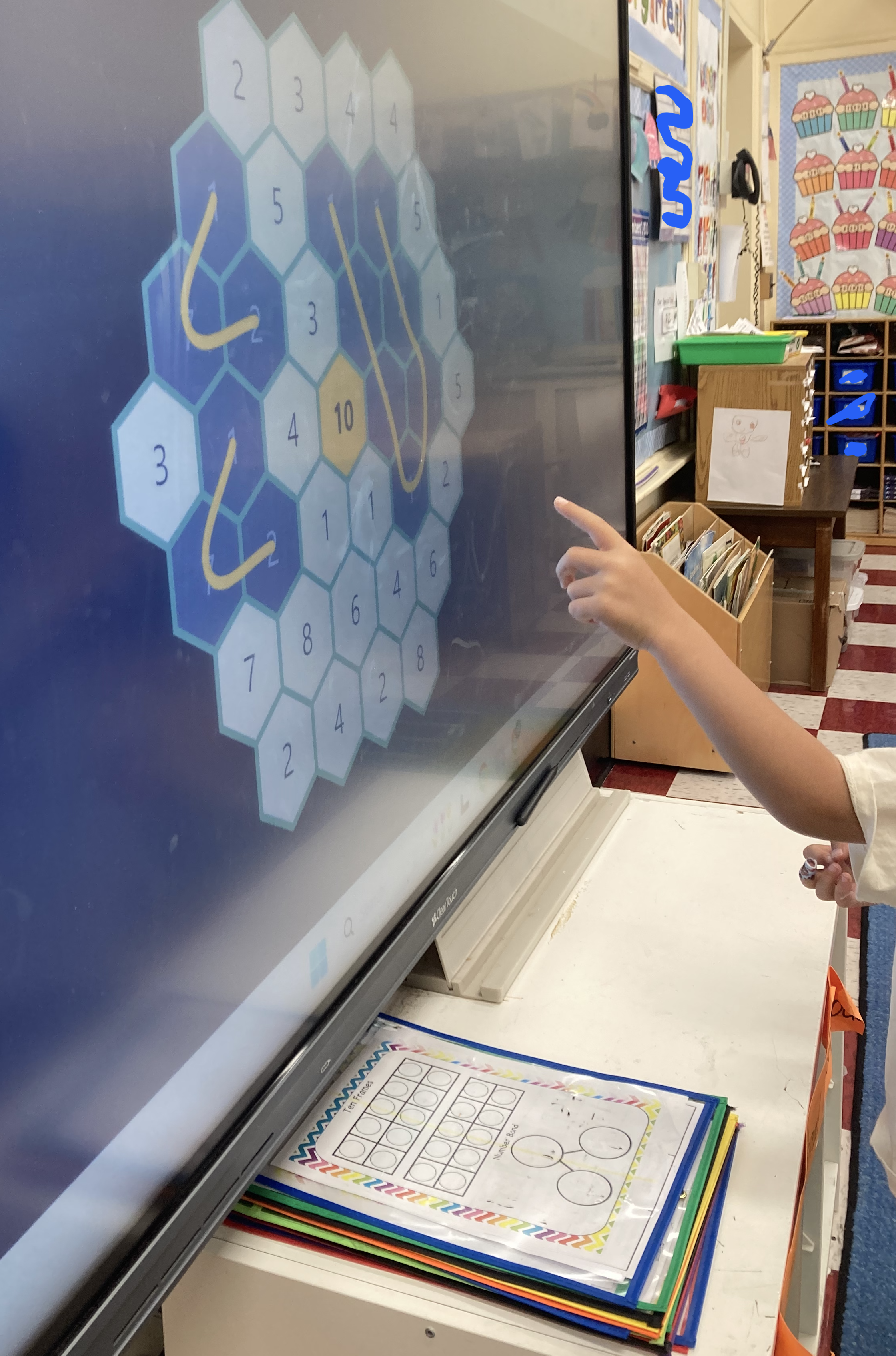
My recommendation is that you let students find whatever solutions they can. I would not worry about “solving” the board. If you put the puzzle up on the whiteboard you can have students call out solutions they find. Or you can have students come up and mark their own solutions. Inevitable, you will run out of legal moves. If you end up with a completely solved board, great! If not, that’s also fine. Our goal is to just practice. But if you want to try to solve the board fully, I would let students drive where they want to undo a move.
You can have them kids play in (small) groups or do this as a whole classroom activity.
Click on the “Download” icon to get a pdf version of the board that you can print out.

Class Reward — Battle the CPU!
As a class reward, it’s really up to you how you handle classroom management. One teacher used HexSum as an activity the class could request among other activities. Wouldn’t you know, the kids chose HexSum quite often. They loved playing against the CPU as a class.
Versus CPU mode is a turn-based mode that allows you play against the computer. You get 1 point per length of the path and then get bonus points for the largest tens place value. The kids love this mode because I think for its adversarial reasons and with a little bit of teacher-aided guidance they can beat the computer. It’s also a daily puzzle mode that you can play without a Pro account. Here’s an example of me winning against the CPU 31-21 with a target sum of 30. With a Pro account you could make the board larger, smaller, and change the target value.

Success for Struggling Students
Math can be difficult for some students. And getting basic skill practice is essential to future success. My strong recommendation is to make a puzzle for students that meets them where they are. Are they struggling adding to 10? We can make a puzzle that way.
One of the biggest differences with practicing addition with HexSum rather than a worksheet is that with HexSum, we are “reversing” the problem. We are given the target value and need to find a collection of hexes that add to that sum. In other words, we’re not asking kids “What is 7 + 3?”. Rather, we are saying “Hey, can you find numbers that add to 10?”
This is a wonderful way to build success for struggling students because there are many ways for them to be successful and find a solution. They don’t have to find all solutions, just one will do. Then once, they find the one, they start looking for more.
Kindergarteners loved this and by the end of the year not only did they know their number bonds for 10, but they also knew that 1 + 2 + 3 + 4 was 10. It also made it easier for them to scaffold up to adding to 20 and 30 (though this was hard for Ks).
Challenge for Advanced Students
You can hold advanced students to a different type of puzzle challenge. They need to solve the puzzle! It doesn’t just have to be a large board with a large number, it can be a small board with a large number. Or a small board with a small number and the goal is to solve the whole board (all hex tiles need to be used).
Speed / Fluency Practice With Zombies!
There are plenty of opposing views about “the need for speed” and what fluency in mathematics means. Then there are enough disagreements about how to build speed and when to do it (or if we even need it). It’s a whole separate set of discussions for another day, but I want you to know that I understand. Eventually as we become more proficient, we do tend to get faster at the tasks.
So at your discretion, if you are looking to build speed for your students, then Zombies mode is for you!
The daily mode (with a Pro account) asks you to defeat 100 zombies on a large board with a target value of 20. But you can make your own board. Smaller boards are harder. Larger values are harder. As you find solutions, you knock out hexes. Zombies (without brains) will fall into the pit and are defeated. But the hexes regenerate! Robots also are out to get you. They do annoying things. It’s a timed mode, without a timer!
And depending on when you are reading this, there might be pumpkins, turkeys, elves, and other characters. Enjoy Zombies mode!
